
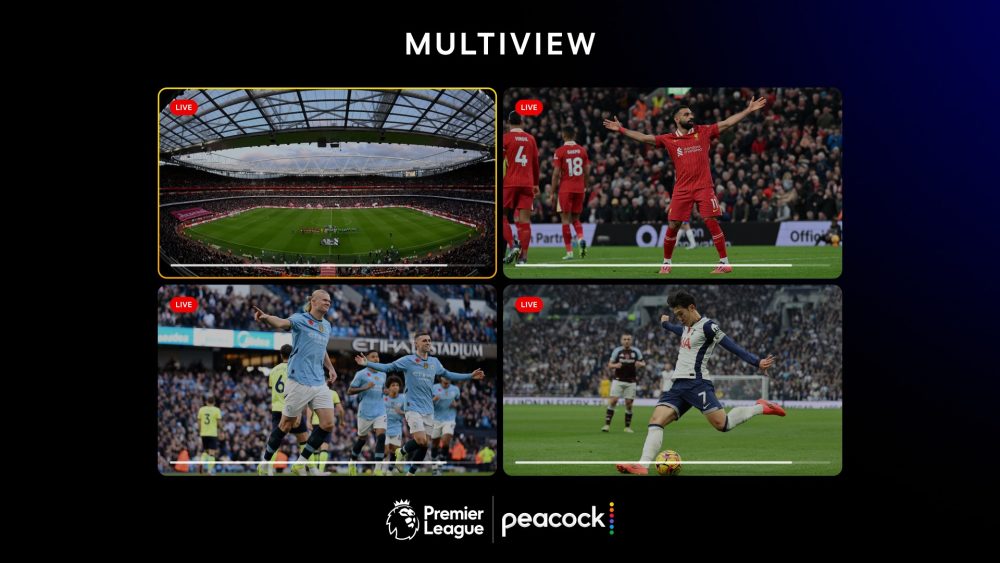
Peacock offers a Multiview feature that allows subscribers to watch multiple live sporting events simultaneously on a single screen. It is useful for sports fans who want to follow several competitions without switching streams.
What Is Peacock Multiview?
Peacock Multiview allows viewers to watch up to four live events at once on eligible feeds, switch audio between events and expand an individual event to full screen.
What Sports Can You Watch on Peacock Multiview?
Peacock has offered Multiview for the Olympic Games, Premier League soccer and selected live sporting competitions. Availability depends on the broadcasting schedule and dedicated feeds.
Can You Watch Non-Sporting Events on Peacock Multiview?
Peacock does not generally support Multiview for movies, television shows or live news. Unlike YouTube TV, Peacock primarily offers predetermined combinations of sporting events.
How to Use Multiview on Peacock
- Open Peacock and sign in.
- Navigate to the Sports section.
- Look for an available Multiview tile.
- Select the feed and highlight an event to switch audio or enter full screen.
What Devices Support Peacock Multiview?
Compatibility may vary across Apple TV, Roku, smart TVs, computers, tablets and mobile devices depending on the event and app version. If the option does not appear, it may not be supported on your device or for that event.
Peacock Multiview vs. YouTube TV
Both services offer up to four streams on eligible Multiview feeds. YouTube TV generally offers more flexibility for eligible live content, while Peacock focuses on selected sporting events.
Does Peacock Charge Extra for Multiview?
Multiview is generally included with eligible Peacock Premium and Premium Plus subscriptions when supported events are available.
Is Peacock Multiview Worth Using?
Peacock Multiview is a convenient way for sports fans to follow multiple live competitions. Feature availability and device compatibility may change. For more information, visit PeacockTV.com.