
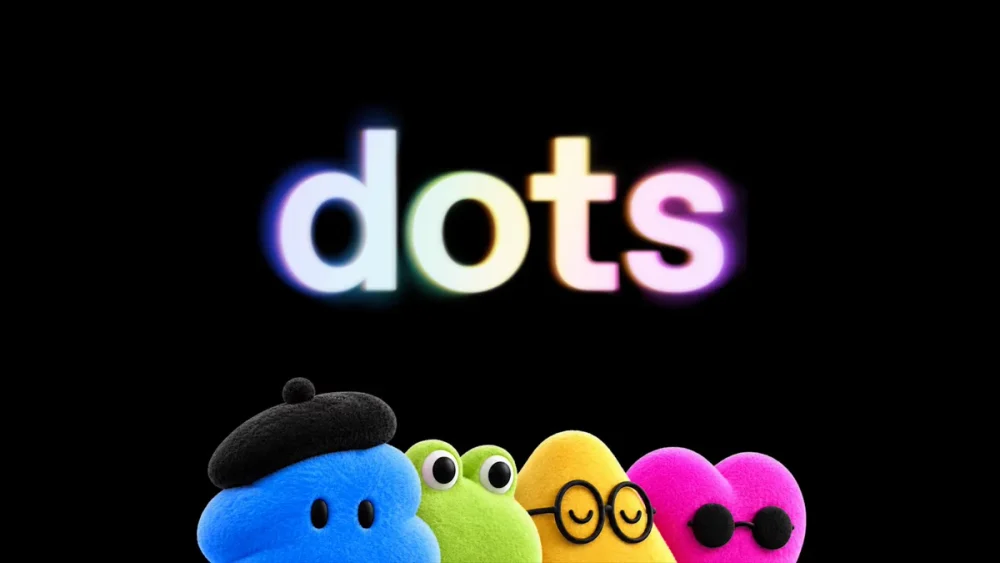
OpenAI is expanding ChatGPT beyond traditional conversations with a new feature called Dots, a system designed to give users persistent AI agents capable of handling ongoing responsibilities.
Announced at OpenAI DevDay 2026, ChatGPT Dots represent another step toward AI that can continue working on projects instead of waiting for users to submit a new prompt every time something needs to be done.
But what exactly is a ChatGPT Dot, and how is it different from regular ChatGPT?
What Are ChatGPT Dots?
A ChatGPT Dot is a persistent AI agent that can be assigned an ongoing responsibility.
Traditional ChatGPT interactions generally work like this:
You ask a question → ChatGPT responds → You provide another instruction.
Dots are designed to operate differently:
You assign a responsibility → the Dot works on it → monitors changes → continues taking appropriate steps → returns when it needs your input or approval.
This makes Dots particularly useful for projects that involve multiple steps or continue over an extended period.
How Do ChatGPT Dots Work?
Dots can operate using their own cloud-based computing environment and browser, allowing them to perform tasks without requiring the user’s computer to remain on.
Depending on the permissions and tools available, a Dot could potentially help with tasks such as:
- Conducting ongoing research
- Monitoring projects
- Analyzing information
- Preparing reports and documents
- Working with connected applications
- Managing content workflows
- Assisting with software development
- Tracking business projects
- Preparing presentations
- Handling repetitive administrative work
Instead of starting a completely new conversation every time, users can assign a Dot responsibility for a particular area of work.
ChatGPT vs. ChatGPT Dots
The biggest difference between regular ChatGPT and Dots is persistence.
Regular ChatGPT primarily responds when a user initiates an interaction. A Dot can be given an ongoing role that continues beyond an individual conversation.
For example, a user running a website could potentially create a Dot responsible for monitoring a content workflow.
The Dot might research new developments, prepare content, organize information and alert the user when a decision or approval is required.
This could reduce the need to manually initiate every step of a recurring workflow.
Can ChatGPT Dots Remember Your Preferences?
Dots can use relevant information from the broader ChatGPT experience, including conversations, available memory, connected applications and instructions provided by the user.
This means a Dot can potentially become more useful as it understands the responsibilities assigned to it and the preferences associated with those responsibilities.
Users can also personalize their Dots with names and visual characteristics.
Do ChatGPT Dots Have Their Own Computers?
One of the most significant features of Dots is their ability to use a cloud computer and browser.
That means certain tasks can continue in OpenAI’s cloud environment rather than depending on the user’s personal computer.
A user could therefore assign work to a Dot and potentially allow the task to continue even after closing a laptop or leaving ChatGPT.
This moves ChatGPT closer to functioning as an autonomous digital worker rather than simply a conversational assistant.
Can ChatGPT Dots Use Other Apps?
Dots are designed to work with supported tools and connected applications when users grant the necessary permissions.
This could allow a Dot to gather information from different services or perform actions across a workflow without requiring the user to manually move information between applications.
OpenAI has also described ways Dots can interact with users through platforms such as ChatGPT, Slack and Microsoft Teams, depending on availability and account permissions.
Are ChatGPT Dots Autonomous?
Dots can perform tasks independently, but users retain control over what they are permitted to do.
Permissions and rules can determine whether a Dot can automatically perform an action or must first request approval.
This is particularly important when an AI agent is working with business accounts, documents, websites or other sensitive information.
Users and organizations can establish boundaries around what a Dot can access and what actions it is allowed to perform.
Who Can Use ChatGPT Dots?
OpenAI began introducing Dots following DevDay 2026, with availability rolling out gradually across eligible ChatGPT plans and markets.
Because the feature is being introduced progressively, availability can vary by account, organization and region.
Enterprise environments may also require administrators to enable the feature before users can create Dots.
Why ChatGPT Dots Could Be Important
Dots represent a broader change in how people interact with artificial intelligence.
ChatGPT originally became popular primarily as a system where users entered prompts and received responses.
AI agents introduce another model.
Instead of repeatedly telling an AI what to do, users can potentially assign responsibility for an outcome or workflow.
The AI can then perform parts of that work continuously while returning to the user when human judgment, authorization or additional information is necessary.
Example of a ChatGPT Dot
Consider someone operating a sports news website.
Instead of manually asking ChatGPT throughout the day to research stories, organize information and prepare content, the user could potentially assign a Dot to help manage that workflow.
The Dot could monitor relevant information, research developing stories, organize potential topics and prepare materials for review.
The human remains responsible for the final decisions, but the Dot handles more of the repetitive work surrounding those decisions.
Similar workflows could apply to sales teams, developers, financial analysts, marketers, researchers and small-business owners.
Are ChatGPT Dots the Future of ChatGPT?
Dots indicate that OpenAI is moving ChatGPT toward a model where AI can function as an ongoing assistant rather than only responding to individual prompts.
The key concept is simple:
ChatGPT helps when you ask it to do something. A Dot can be assigned responsibility for something that continues over time.
That distinction could make Dots particularly valuable for businesses and individuals who repeatedly perform the same research, monitoring, content, development or administrative workflows.
As OpenAI expands the feature, Dots could become an increasingly important part of how people delegate everyday digital work to AI.
SEO Title
What Are OpenAI ChatGPT Dots? How the New AI Agents Work
Meta Description
Learn what OpenAI ChatGPT Dots are, how these persistent AI agents work, what they can do, and how Dots differ from regular ChatGPT.